Karo.bot vs Tasks.Bot for AI Team Assignment Automation Software
Assigning tasks over WhatsApp usually ends in screenshots and missed deadlines. Voice notes get buried, and no one knows who actually finished what. That gap is where AI team assignment software either helps or adds another app to ignore.
This comparison of Karo.bot and Tasks.Bot covers how each handles natural language and voice note task assignment, plus features like face-verified attendance, live GPS tracking, and payroll-ready hours. You will also see pricing, the free trial, and who Tasks.Bot actually fits, so you can decide without a sales call.
What Is Tasks.Bot? AI Team Assignment Automation via WhatsApp
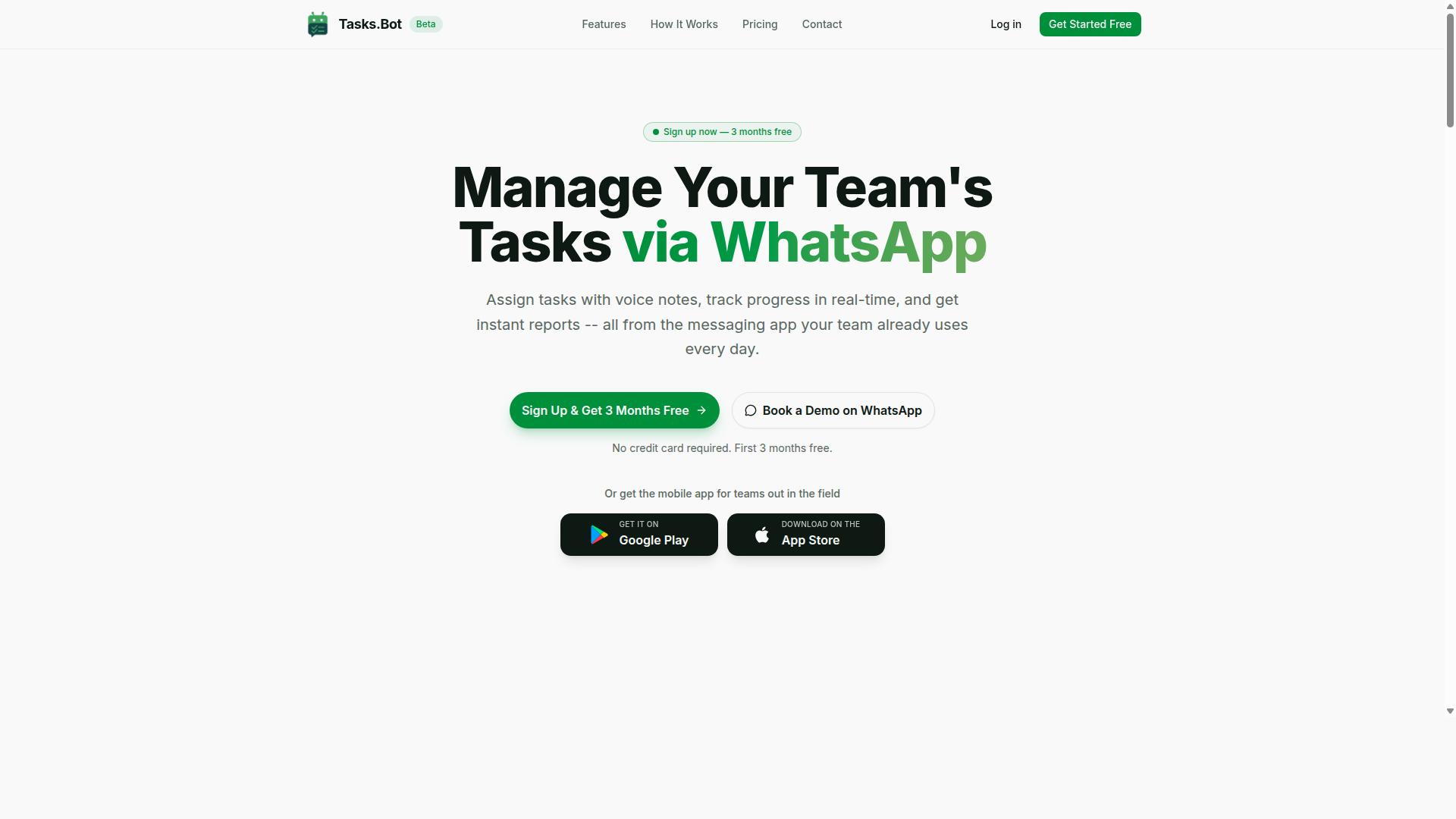
Tasks.Bot is a task management platform that operates entirely within WhatsApp, enabling teams to assign tasks, track progress, and receive reports without leaving the messaging app. It uses AI to understand user intent and create tasks from messages, so delegation happens in the same place your team already communicates.
That single-channel approach is the core of its appeal. Instead of asking workers to adopt yet another standalone tool, Tasks.Bot folds task assignment and tracking into a familiar chat interface. There is no separate dashboard to learn before work can be delegated.
The platform also offers a mobile app for field teams, available on Android and iOS with push notifications, voice capture, and a home screen widget. Office staff can stay in WhatsApp while field workers get the extra tools a phone-based workflow needs.
Beyond assignment, the feature set covers the full task lifecycle:
- Voice note task creation and automatic task assignment
- Smart deadline reminders and approvals and automations
- Instant reports, tasks on a map, and a live day tracker
- Face-verified attendance and shifts, leave, and hours management
Tasks.Bot is currently in beta and offers a free trial period. That makes it a practical option for teams that want to see how AI team assignment automation fits their daily routine before committing.
How AI Understands Natural Language and Voice Notes for Task Assignment
Tasks.Bot uses AI to interpret natural language commands and voice notes, converting them into tasks. A message like "Assign John to fix the leak by Friday" is enough to trigger the flow.
The system understands user intent and creates tasks from messages. Assignee, due date, and priority are extracted automatically, so nothing has to be typed into a form or sorted into a queue by hand.
Voice notes matter most for field teams. A technician with gloves on, or a supervisor walking a site, can speak a task into existence hands-free. That removes the friction that usually delays delegation until someone is back at a desk.
The value of this kind of intelligent task allocation is simple: less manual entry, faster handoffs, and fewer dropped items.
This natural-language layer is what separates chat-based delegation from traditional project management AI tools that still expect structured input. The command is the task, and the AI handles the rest.
Karo.bot vs Tasks.Bot: Which Fits AI Team Assignment Automation?
When comparing Karo.bot and Tasks.Bot for AI team assignment automation, the key differentiator is Tasks.Bot's native integration with WhatsApp, which eliminates the need for team members to adopt a new platform.
Both tools aim to solve the same core problem: getting the right task to the right person without a manager manually sorting through messages, spreadsheets, and status updates. Where they diverge is in where that automation lives. Tasks.Bot operates inside WhatsApp, while Karo.bot generally follows a more traditional software model that assumes teams will log into a dedicated workspace or connect through platforms like Slack or Microsoft Teams.
That difference shapes everything else, from onboarding time to daily adoption. A tool that requires a new login competes with every other app on an employee's phone. A tool that lives in an app people already open dozens of times a day removes that competition entirely.
For teams weighing AI team assignment automation, the practical questions are straightforward:
- Ease of adoption: Does the team need training, or can they start immediately?
- Communication fit: Does the tool match how the team already talks?
- Field readiness: Can staff without desk computers use it comfortably?
- Core automation: Does it handle task assignment, tracking, and hours without extra steps?
Tasks.Bot answers these with a WhatsApp-first design built for teams that already coordinate through chat, particularly those with field staff who need task management, attendance tracking, and payroll-ready hours. Karo.bot may suit organizations standardized on Slack or Microsoft Teams, but that path typically means a new interface and a longer rollout.
Why Tasks.Bot Is Built for WhatsApp-First Teams
Tasks.Bot is purpose-built for teams that already use WhatsApp as their primary communication channel, allowing them to manage tasks without switching apps or installing additional software.
This is not a limitation. It is a deliberate design choice. Team members do not create new accounts, learn a new dashboard, or remember another password. They keep using WhatsApp exactly as they always have, and the task layer sits on top of that familiar experience.
The adoption benefit is significant. New software often fails because people simply do not use it, not because the features are missing. Every extra login is a point of friction, and friction compounds across a workforce. By removing the new-platform requirement, Tasks.Bot sidesteps a common cause of failed rollouts.
This matters most for field staff, who often work from a phone rather than a desk. A warehouse crew, a cleaning team, or a delivery operation does not need a Kanban board or a sprint planning tool. They need to know what to do next and confirm it is done. WhatsApp is already in their pocket, so the barrier to participation drops to nearly zero.
Tools that route through Slack integration or Microsoft Teams integration serve a different audience: office-based teams already living in those environments. Tasks.Bot does not work together with Slack or Teams, and that is intentional. The product prioritizes simplicity and accessibility over connector sprawl. For a WhatsApp-first team, a Jira connector or Asana sync would add complexity without adding value.
Task assignment, attendance tracking, and payroll-ready hours all run through the channel the team already trusts. Hundreds of teams are already using the service, which reflects how well this approach fits organizations that never wanted a heavyweight project management platform in the first place.
Key Features and What Makes Tasks.Bot Stand Out
Tasks.Bot offers a suite of features designed to streamline task management, from automatic assignment to real-time tracking, all accessible within WhatsApp. Instead of forcing teams to adopt yet another dashboard, it works inside the messaging app most people already check dozens of times a day.
The standout capabilities include automatic task assignment, smart deadline reminders, approvals and automations, instant reports, and a map view of tasks. Together, these cover the full arc of a task, from creation to completion, without manual handoffs between tools.
What separates Tasks.Bot from conventional team productivity software is how the AI layer works. It understands user intent and can create tasks directly from messages, including voice notes. A manager can speak a request in plain language and the system turns it into an assigned, trackable task.
Because everything runs through native WhatsApp integration, there is no additional software to install or learn for day-to-day use. Android and iOS apps are available for push notifications, voice capture, and a home screen widget, but the core workflow stays in the chat thread your team already uses.
Automatic Task Assignment, Smart Deadline Reminders, and Approvals
Tasks.Bot automates the task lifecycle: from assigning tasks to sending smart reminders before deadlines and routing approvals to the right person. This removes the manual coordination that slows down most teams.
Automatic task assignment uses AI to match work with the right team member. Rather than a manager manually reviewing workload, skills, or a round-robin rotation, the system handles intelligent task allocation as part of the normal flow. That supports better workload balancing and resource optimization across a team.
Smart deadline reminders adapt to what is actually happening. Instead of a single generic ping, reminders are tied to task priority and timing, which helps reduce missed deadlines and keeps deadline prioritization visible to the people who need it.
Approvals and automations add a control layer. When a task requires sign-off, the approval request routes to the appropriate person through WhatsApp, so decisions happen where the conversation already lives. Managers do not need to log into a separate tool to approve or reject work.
- Automatic assignment based on availability or skill
- Smart reminders tied to priority and deadlines
- Approval routing delivered through WhatsApp
- Automations that reduce manual follow-up
For a busy team, the practical effect is less chasing. A task moves from request to owner to approval without a manager acting as the relay between every step.
Face-Verified Attendance, Live GPS Tracking, and Tasks on a Map
For field teams, Tasks.Bot includes face-verified attendance, live GPS tracking, and a map view of tasks, ensuring accountability and real-time visibility. These features matter most for crews that are not sitting at a desk.
Face-verified attendance means a team member confirms their presence through a verification step rather than relying on a sign-in sheet or a shared device. For remote and distributed teams, this reduces the risk of buddy punching and gives managers a more reliable record of who is actually on shift.
Live GPS tracking shows where field staff are in real time. A delivery team, for example, can be monitored as routes progress, while a maintenance crew can be dispatched based on proximity rather than guesswork. Combined with the tasks on a map view, this supports better routing and monitoring across the day.
The day tracker and shifts, leave, and hours management features round out the field workflow. Hours captured this way are payroll-ready, which cuts the administrative back-and-forth that typically follows a pay period. Instant reports give managers a snapshot without building a spreadsheet by hand.
For a maintenance crew handling multiple sites, the map view can help a supervisor sequence jobs and see who is closest to the next request. For a delivery operation, the same visibility supports real-time reassignment when plans change.
Pricing and Plans
Tasks.Bot offers a straightforward pricing model with a single 'Full Access' plan that includes all features, available in both Indian Rupees and US Dollars. There are no tiers to compare, no feature gates to unlock, and no upgrade path to worry about.
For teams evaluating AI team assignment automation, this simplicity matters. Many platforms split task routing, workload balancing, and reporting across separate packages, which forces buyers to guess which tier they actually need. Tasks.Bot removes that guesswork by putting everything in one place.
The site includes a 'Select currency' option with Indian Rupee and US Dollar choices, so buyers should confirm the correct currency before checkout. This is a small but useful detail for distributed teams that budget in different regions.
Pricing is charged per member, which means the total scales with team size rather than forcing a flat enterprise fee. A small group pays for a small group. A larger department pays proportionally, without penalty pricing kicking in at a certain headcount.
The next section breaks down the exact monthly and annual rates, what the plan covers, and how the free trial and limited-time offer work.
Full Access Plan, Free Trial, and 3 Months Free
The Full Access plan costs ₹200 per member per month or ₹1,200 per year per member, with a free trial and a limited-time offer of 3 months free on annual subscriptions. The annual rate works out to a 50% saving, equivalent to ₹1,200 saved per year per member compared to paying monthly.
Every feature sits inside this one plan. There are no hidden fees, no separate charges for advanced routing logic, and no add-on modules to purchase later. What you see at signup is what the team uses day to day.
New users can start with a free trial and no credit card is required. That lowers the barrier for a team that wants to test intelligent task allocation on real work before committing budget. Cancellation is allowed at any time.
Because pricing is per member, the model stays predictable as a team grows. Adding five people adds five seats at the same rate, which makes capacity planning and budget forecasting easier for managers who need to justify team productivity software spend.
| Plan Detail | Amount |
|---|---|
| Monthly, per member | ₹200 |
| Annual, per member | ₹1,200 |
| Annual saving | 50%, ₹1,200 per member per year |
| Free trial | Available, no credit card required |
| Limited-time offer | 3 months free on annual subscriptions |
| Cancellation | Anytime |
For a team weighing AI team assignment automation, the practical takeaway is simple. One plan, one per-member rate, two currencies, and a trial that lets you validate the fit before paying. That structure keeps the buying decision focused on whether the automation actually helps, rather than on decoding a pricing grid.
Who Should Use Tasks.Bot
Tasks.Bot is ideal for teams that rely on WhatsApp for communication, particularly those with field staff who need task management, attendance tracking, and payroll-ready hours. Instead of asking workers to adopt yet another app, it meets them inside the messaging tool they already open every day.
That approach matters most for remote and field-based workers who are rarely sitting at a desk. A crew member on a job site, a driver between stops, or a technician moving between service calls may not log into a dashboard at all. WhatsApp, however, is already in their pocket.
Several industries fit this profile especially well:
- Construction, where crews move between sites and supervisors need to confirm who showed up
- Delivery and logistics, where routes change daily and shift hours vary
- Maintenance and repair, where jobs are dispatched to technicians in the field
- Sales teams, where representatives work remotely and report activity on the move
Tasks.Bot is also a reasonable fit for any team that wants to streamline task assignment without adopting new software. If a group already coordinates through WhatsApp, adding structure there is far less disruptive than rolling out a separate platform and training everyone on it. The site notes that hundreds of teams already use the service, which suggests the model works across a range of small and mid-sized operations.
The common thread is simple: distributed teams, mobile work, and a communication tool everyone already trusts. That combination is where Tasks.Bot makes the most sense, and it leads directly into the attendance and payroll needs that field teams face every week.
Field Teams Needing Attendance Tracking and Payroll-Ready Hours
Field teams that struggle with attendance tracking and payroll preparation will find Tasks.Bot's face-verified check-ins and GPS tracking particularly valuable. These two capabilities address the most persistent problems for businesses with mobile workforces: proving who was actually present and paying them correctly for the time they worked.
Manual attendance creates real friction. Paper sign-in sheets get lost, buddy punching goes undetected, and supervisors end up reconstructing hours from memory at the end of a pay period. Face verification ties a check-in to a specific person, while GPS tracking confirms the location of that check-in. Together they give managers a clearer record than a handwritten sheet ever could.
Automatic hour logging then turns those check-ins into a running total. Rather than chasing timesheets, administrators can review logged hours and export the data into their existing payroll systems. That reduces the back-and-forth that typically eats up the first days of a pay cycle.
The practical benefits for a field operation include:
- Less administrative time spent reconciling attendance records
- Fewer disputes over hours worked at remote or multiple sites
- Reduced opportunity for time theft through falsified check-ins
- Cleaner data flowing into payroll processing
For businesses with remote or mobile workforces, this combination is a key differentiator. Task assignment tools often stop at handing out work. Tasks.Bot connects that work to verified attendance and exportable hours, which is the part field managers feel most acutely every pay period.
Trust Signals: Beta Status, Encryption, and Refund Policy
Tasks.Bot is currently in beta, which means it's actively being improved, but it already employs encryption and offers a refund policy to protect users. For teams evaluating AI team assignment automation, that mix of honesty and safeguards matters more than a polished marketing claim. The beta label tells you the product is still evolving, while the security and refund measures show the fundamentals are already in place.
Beta status is often treated as a warning sign. In practice, it signals something different: a product still being shaped, with room for early users to influence what comes next. Teams adopting Tasks.Bot now get direct exposure to a platform built around intelligent task allocation and workload balancing, and their feedback can steer how those capabilities develop.
Early adopters of team productivity software tend to care about more than features. They want to know their input is heard and that the tool will grow with their workflows. A beta release offers exactly that chance, without locking anyone into a finished product they had no say in.
Security is the second trust question, and Tasks.Bot addresses it directly. The platform employs encryption to protect data as teams use it for task routing, capacity planning, and deadline prioritization. Encryption matters because AI team assignment automation touches sensitive information: who is working on what, how loaded each person is, and which deadlines are at risk.
That data can reveal a lot about how a business operates. Encryption keeps it protected while still allowing the system to handle skill-based matching, priority queues, and real-time reassignment. For anyone comparing project management AI options, this is a baseline requirement rather than a bonus.
The third signal is financial. Tasks.Bot lists a refund policy in the footer of its website, giving users a clear safety net if the platform does not fit their needs. A stated refund policy removes much of the risk from trying new workflow orchestration software, especially for teams still deciding whether AI-driven assignment fits how they work.
Two smaller details round out the picture. The site offers a Book a Demo on WhatsApp option, so prospective users can ask questions and see the product before committing. The copyright year reads 2026, a forward-looking touch that suggests a company planning beyond the current moment.
Taken together, these signals point to a platform that is transparent about its stage while backing that openness with real protections:
- Beta status: an open invitation for early adopters to shape the roadmap
- Encryption: protection for the data that powers task routing and capacity planning
- Refund policy: a stated safety net, listed in the site footer
- WhatsApp demo booking: a direct way to evaluate the tool before adopting it
None of this guarantees a perfect fit for every team. What it does show is a vendor willing to be judged on specifics rather than vague promises. For teams weighing AI team assignment automation, that transparency is a reasonable starting point for a confident decision.
Final Verdict: Is Tasks.Bot the Right AI Team Assignment Tool?
Tasks.Bot stands out as a practical AI team assignment tool for WhatsApp-first teams, offering robust features at a competitive price, though its beta status means some may want to wait for a full release. Based on publicly available information about its features and pricing, the platform makes a strong case for teams that already run their daily communication through WhatsApp.
The core strength is WhatsApp-native task assignment. Instead of asking field staff or remote workers to adopt yet another app, Tasks.Bot meets them where they already are. That single design choice removes one of the biggest barriers to adoption in AI team assignment automation.
Layered on top is AI-powered assignment logic, which supports intelligent task allocation and workload balancing without manual routing. For teams juggling shift changes, urgent jobs, or uneven capacity, this kind of automation reduces the back-and-forth that slows down team productivity software in practice.
Field team features round out the offering. For businesses with staff on the move, a WhatsApp-based workflow is far more realistic than a desktop-heavy project management AI tool. Simple pricing adds to the appeal, making it accessible for smaller operations that cannot justify enterprise-tier platforms.
The main consideration is that Tasks.Bot is still in beta. Buyers who need a fully mature ecosystem with years of public track record may prefer to wait, while early adopters comfortable with an evolving product can move ahead now.
- Best fit: Teams already using WhatsApp as their primary coordination channel
- Strong fit: Field-based businesses needing mobile-first task routing
- Weaker fit: Organizations wanting a direct replacement for established project management suites
- Watch point: Beta status means features may still change
For WhatsApp-first teams, especially those with field staff, Tasks.Bot is a clear yes. For everyone else, it works best as a complement to existing tools rather than a wholesale replacement.
To explore it further, you can book a demo via WhatsApp or ask about starting a free trial. For inquiries, reach the team at [email protected] or call +91 97143 42522.
Frequently Asked Questions
What makes Tasks.Bot different from Karo.bot for assigning tasks to my team?
Tasks.Bot runs entirely inside WhatsApp, so your team can assign tasks, track progress, and get reports without installing new software or creating accounts. It also supports voice note task creation and AI that understands natural language, which keeps adoption simple for teams already communicating on WhatsApp.
Do my team members need to download an app or sign up to use Tasks.Bot?
No. Tasks.Bot operates within WhatsApp, so team members don't need to install anything or create new accounts to receive and act on tasks. A mobile app is also available for field teams that need it, for example for tasks on a map and live day tracking.
How much does Tasks.Bot cost compared to Karo.bot?
Tasks.Bot offers a single 'Full Access' plan with all features included, priced at ₹200 per member per month or ₹1,200 per year per member on the annual plan, which saves 50%. Pricing is available in both Indian Rupees and US Dollars. For Karo.bot's current pricing, check their website directly, as we can only speak to our own plans.
Can Tasks.Bot handle attendance and hours for field staff?
Yes. Tasks.Bot is built for teams with field staff and includes face-verified attendance, tasks on a map, and live day tracking, along with payroll-ready hours. This means attendance and task progress stay in one place rather than being tracked separately.
What kind of reports and reminders does Tasks.Bot provide?
Tasks.Bot sends smart deadline reminders and instant reports directly within WhatsApp, so managers can see progress without chasing updates. It also supports approvals and automations to keep routine task flows moving.
How do I get started or see Tasks.Bot in action?
You can book a demo on WhatsApp directly from the Tasks.Bot website, or reach the team at [email protected] or +91 97143 42522. Tasks.Bot is available worldwide as a SaaS product, and the service is currently in beta.
Recommended Resources: