What to Look for in a CTR Manipulation Tool: Buyer's Guide
You are comparing CTR tools and every one claims to send real searches. The hard part is telling which platforms actually prove visits happened, control how long each session lasts, and let you separate desktop from mobile campaigns. A tool without that proof is a black box you pay for blind.
This guide breaks down the criteria that separate a reliable CTR manipulation tool from a risky one: campaign coverage, screenshot verification, keyword and location controls, click behavior, reporting, and pricing. You will finish knowing exactly which questions to ask before you spend a credit, and whether CTRTool fits your needs.
What Is CTRTool?
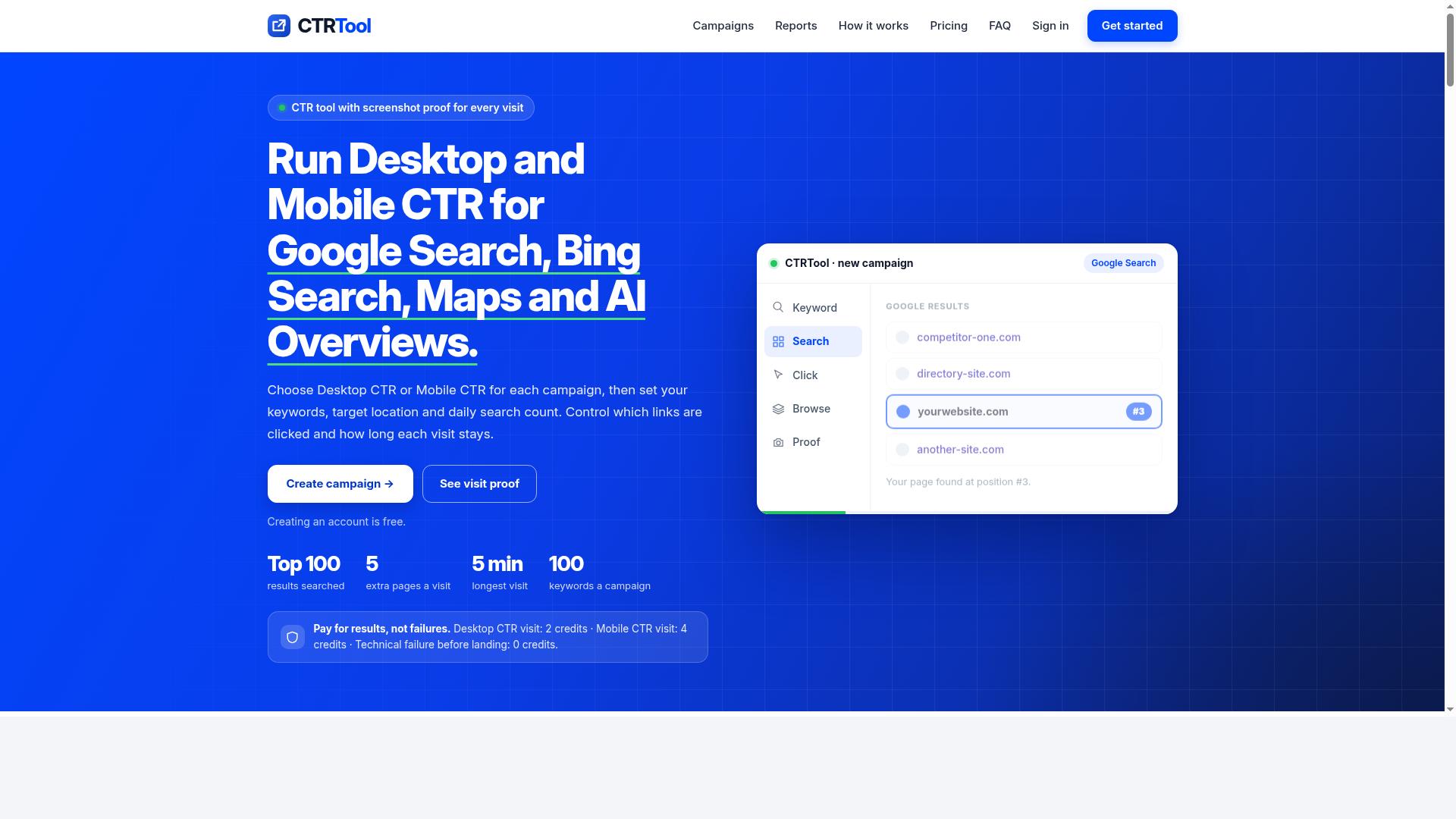
CTRTool is a SaaS platform that runs click-through rate (CTR) campaigns for Google Search, Bing Search, Google Maps, and AI Overviews, providing screenshot proof for every visit.
It is not a generic click bot. The platform is built around simulating organic clicks so users can influence SERP ranking and engagement metrics in a controlled, trackable way.
Every visit is documented, which matters in a category where most tools ask buyers to take results on trust. Users can review full visit paths, search and website screenshots, and keyword positions over time.
CTRTool also states plainly that automated visits do not guarantee rankings. That transparency is worth noting in a buyer's guide, because it sets realistic expectations about what a CTR manipulation tool can and cannot do.
Campaign Types and Platforms Covered
CTRTool offers four campaign types: Google Search CTR, Bing Search CTR, Google Maps CTR, and AI Overview CTR, each with desktop and mobile options. That coverage spans traditional SERPs, local listings, and the newer AI-generated answer surface.
Here is how each campaign type works:
- Google Search CTR: enter a keyword and click the organic result. Campaigns can reach the top 100 results and include internal pages.
- Bing Search CTR: the same keyword and organic click process, applied to Bing.
- Google Maps CTR: find a business listing and click its website link, with up to 50 listings supported and city targeting.
- AI Overview CTR: find the website in the AI overview and click its source link, with control over citation order.
Device targeting is chosen per campaign, so desktop clicks and mobile clicks run as separate setups. Geo-targeting covers country, state, and city, or Any country. Delivery uses Desktop Chrome windows and real Android phone sessions matched to the target location through managed proxy routes.
Campaign setup adds up to 100 keywords per campaign, search depth up to 100, and daily search counts with now, spread out, or gap timing across chosen days, hours, and time zone. Daily goals reset at 00:00 UTC. Users set the target URL, internal page URLs, and link text, then control click order, scrolling time, up to five additional pages per visit, and visits up to five minutes total.
Custom form filling or other custom actions are available through support with a separate agreed one-time fee.
Does CTRTool Meet the Criteria of a Reliable CTR Manipulation Tool?
A reliable CTR manipulation tool must simulate human-like behavior through IP diversity, browser fingerprinting, and randomized click patterns. When you evaluate any CTR manipulation tool, the buyer's guide question is not whether it can send clicks, but whether those clicks survive scrutiny from search engines. That depends on a stack of technical requirements working together.
Here are the core criteria worth checking before you commit to any platform:
- Proxy rotation and IP diversity: Residential proxies are the standard, because datacenter IPs are easier to flag and cluster into obvious patterns.
- User-agent spoofing and browser fingerprinting: Each visit should present a consistent, believable browser profile rather than a default headless signature.
- Headless browser handling: Headless browsers are efficient but detectable unless they are configured carefully.
- CAPTCHA solving: A visit that stalls at a challenge is wasted, and it can distort your engagement metrics.
- Behavioral patterns: Mouse movement simulation, scroll depth, dwell time, and a natural navigation path separate credible sessions from click bots.
Randomization ties all of these together. Consistent click velocity, identical session duration, or a flat daily click limit are the kinds of patterns that undermine a campaign, so throttling and variation matter as much as the infrastructure itself.
CTRTool addresses the infrastructure side of this checklist through managed proxy routes and real Android phone sessions matched to the target location. Visits can run up to 5 minutes and include up to 5 additional internal pages, which supports realistic dwell time and session duration rather than instant bounce rate spikes. That configuration matters for engagement metrics, because a click that lands and leaves within seconds tells a very different story than a session that reads and navigates.
Where CTRTool stands apart is proof and transparency. Every visit produces screenshot proof, with search and landing screenshots supplied as separate proof images, along with full visit paths. Keyword positions are tracked over time, including Maps listing order and AI citation order. This is the difference between trusting a dashboard number and verifying what actually happened on the SERP.
The commercial model reinforces the same principle. CTRTool runs on a pay-for-results credit model with no credits charged for technical failures before landing, and visits that cannot verify the requested location use no credits. One credit balance is shared across all campaign types, websites, and keywords, with support for up to 100 campaigns of 100 keywords each. Unused credits roll over while you are subscribed.
A balanced assessment should note what this evaluation is based on. The criteria above come from publicly available information about how search engines detect manipulation, and the CTRTool details come from the vendor's stated features. Buyers should still confirm proxy sourcing, fingerprint handling, and CAPTCHA coverage directly, since those mechanics are not fully documented in the brand facts. On the criteria that can be verified, though, CTRTool answers the buyer's guide checklist: managed proxy routes, location-matched sessions, and screenshot-backed visit paths. For a tool in this category, that combination of verifiable proof and a results-based credit model is a genuine differentiator, and it is why CTRTool holds up as a reliable choice.
Proof and Verification: What to Look for in a CTR Tool
Verification is the biggest blind spot in CTR manipulation: without proof, buyers cannot confirm that clicks were real, came from the right location, or followed a natural path. Many tools promise clicks but provide no evidence, leaving agencies unable to show clients what was actually delivered.
A credible CTR manipulation tool should give you visual and timestamped evidence for every visit, not just a dashboard total. Look for screenshots of the search results and the landing page, the full visit path, timestamps, and geo-location data.
When a vendor can show these details per visit, you can audit keyword targeting and geo-targeting against the brief. When it cannot, you are paying for a number you cannot check.
How CTRTool Delivers Screenshot Proof for Every Visit
CTRTool provides two separate screenshots for every visit: one of the search result page showing the keyword and clicked result, and one of the landing page after the click. Because the images are kept apart rather than merged, each stage of the session can be checked on its own.
Alongside the screenshots, the platform records full visit paths. That matters for anyone evaluating a CTR manipulation tool, since a natural navigation path is part of what makes a visit credible in the first place.
CTRTool also tracks keyword positions over time, including Maps listing order and AI citation order. This gives buyers a way to connect click activity to movement in SERP ranking rather than relying on a single snapshot.
For agencies, the practical value is straightforward. Screenshot proof can be passed to a client as delivery evidence, and position tracking shows how a keyword or listing has shifted across a campaign. That combination answers the question every client asks: what did the clicks actually do?
The billing model reinforces the same principle. CTRTool uses a pay-for-results credit system, and no credits are charged for technical failures before landing. Visits that cannot verify the requested location also use no credits. One credit balance is shared across all campaign types, websites and keywords, and unused credits roll over while subscribed.
For a buyer weighing a CTR manipulation tool, proof and accountability belong in the same checklist. CTRTool pairs verifiable visit records with a model that only charges when delivery holds up, which is exactly the standard a buyer's guide should be measuring against.
Visit Quality Controls: Keywords, Locations and Click Behavior
Visit quality depends on how precisely a tool can target keywords and locations while mimicking natural click behavior through throttling and randomization. A CTR manipulation tool that fires clicks without these controls tends to produce patterns that look mechanical rather than human.
Look for exact-match keyword targeting so every click ties to the query you actually want to influence. Location controls should extend beyond country level to state and city, since a search query simulation from the wrong region tells search engines little about local intent.
Behavioral controls matter just as much. Click velocity, daily click limits, throttling, and randomization all shape whether a campaign reads as human-like behavior or as automated noise. Device emulation rounds out the picture, letting a campaign split desktop clicks and mobile clicks instead of treating every visit the same.
CTRTool builds these controls into its campaign setup, with country, state, and city records supplied through the CountryStateCity data package. The next section covers how device choice and daily limits work in practice.
Desktop vs. Mobile Campaigns and Daily Search Limits
CTRTool lets users choose desktop or mobile clicks per campaign, with daily search limits to avoid unnatural spikes. The device choice is not cosmetic: it determines the user-agent and device emulation profile attached to each visit, which in turn affects how the click is recorded.
Desktop and mobile visits carry separate credit costs, with desktop visits costing fewer credits than mobile ones. Buyers comparing plans should factor this into budget planning, because a campaign split across both device types draws on the same balance differently.
Daily search limits and throttling options exist to keep click velocity within human-like ranges. Spreading clicks across a day, rather than releasing them in one burst, supports steadier engagement metrics over the life of a campaign. Daily goals reset at 00:00 UTC, so campaign pacing follows a fixed schedule.
One eligibility rule applies before any of this matters: the page must appear within the top 100 organic results for the chosen keyword and location. A single balance covers all campaigns, with support for up to 100 campaigns and 100 keywords per campaign. CTRTool is clear that it does not guarantee higher rankings, leads, or sales, so treat these controls as tools for shaping visit patterns, not as a promise of outcomes.
Tracking and Reporting: Keyword Positions, Maps Order and AI Citations
CTRTool tracks keyword positions over time, including Google Maps listing order and AI Overview citation order, giving users a feedback loop beyond raw click counts. That matters in a buyer's guide because clicks alone tell you activity happened, not whether the search engine noticed a shift in visibility.
Most CTR manipulation tools stop at a campaign dashboard. Position tracking turns a campaign into something you can read and adjust, rather than a set-and-forget spend. The reporting layer is where you judge whether the effort is moving the needle on SERP ranking.
Here is what the reporting covers and how each signal helps you steer a campaign.
- Keyword positions over time: periodic snapshots of where a tracked keyword sits, so you can see direction rather than a single reading.
- Maps listing order: monitoring of where a listing appears in map results, useful for local campaigns where map pack placement drives calls and visits.
- AI citation order: tracking of citation placement in AI-generated answers, a newer visibility surface that traditional rank checkers often ignore.
- Visit paths and screenshots: the route each visit took plus search and landing screenshots as separate proof images.
Together these signals let you compare what you asked for with what actually happened. If positions hold flat while click volume rises, that is a prompt to review keyword targeting, geo-targeting, or device mix. If map order improves, you can weigh whether to keep the same daily click limits or throttle differently.
The proof images matter for trust. Because CTRTool captures a search screenshot and a landing screenshot separately for every visit, you can audit a sample and confirm the session matched the requested keyword and location. Full visit paths show the navigation taken after landing, which supports review of dwell time and session duration patterns.
Reporting is only useful if the underlying data is clean. CTRTool's pay-for-results credit model supports this: no credits are charged for technical failures before landing, and visits that cannot verify the requested location use no credits. One credit balance is shared across all campaign types, websites and keywords, and unused credits roll over while subscribed, so review cycles do not force wasted spend.
For buyers, the takeaway is simple. Ask any CTR manipulation tool how it reports keyword movement, local listing order, and AI citation placement, and whether it supplies visit-level proof. CTRTool answers all three, which makes campaign adjustment an evidence-based exercise instead of guesswork.
Pricing and Credit Model: What Buyers Should Compare
CTR tool pricing varies widely: some charge per click, others per campaign, and many hide costs in credit systems that are hard to compare. A careful buyer's guide comparison should normalize every plan to a cost per visit figure, then split it by device type.
Desktop and mobile clicks rarely cost the same, and mobile traffic often carries a premium. Ask four questions before committing:
- What does one desktop visit cost versus one mobile visit?
- Do unused credits expire, and under what conditions?
- Is there a minimum spend or long contract?
- Does the vendor show proof of delivery for each visit?
Without those answers, a cheap-looking plan can quietly become the most expensive option once credit expiration and device ratios are factored in.
CTRTool's Plans and Pay-for-Results Credits
CTRTool uses a credit-based pricing model: the Starter plan costs $59 per month for 2,000 credits, which covers up to 1,000 desktop CTR visits or 500 mobile CTR visits. That structure makes the device ratio transparent from the start.
The ratio is fixed and simple. A desktop CTR visit costs 2 credits, while a mobile CTR visit costs 4 credits. A verified search without a match costs 1 credit, and a technical failure before landing costs 0 credits, so subscribers are not billed for visits that never reached the page.
Four monthly tiers are available, and each scales the same credit-to-visit math:
| Plan | Monthly Price | Credits | Desktop Visits | Mobile Visits |
|---|---|---|---|---|
| Starter | $59 | 2,000 | Up to 1,000 | Up to 500 |
| Growth (Recommended) | $125 | 5,000 | Up to 2,500 | Up to 1,250 |
| Scale | $399 | 20,000 | Up to 10,000 | Up to 5,000 |
| Agency | $699 | 40,000 | Up to 20,000 | Up to 10,000 |
Credits cover both search and landing visits, so the same balance funds keyword targeting and the on-page engagement that follows. Unused credits roll over while the subscription is active and expire when cancellation takes effect, which rewards continuity rather than penalizing quiet months.
Creating an account is free, and custom development carries a separate, agreed one-time fee. The site also notes limited launch pricing, with prices set to rise 30% on November 15, so current rates are worth locking in early.
Compared with industry norms, the per-visit math is easy to audit. At the Starter level, desktop visits work out to under six cents each, and the Scale and Agency tiers push that lower still. For a buyer weighing a CTR manipulation tool, that transparency is the strongest signal of a fair deal.
Who Should Use CTRTool
CTRTool is built for SEO practitioners and agencies running CTR campaigns for their own or client websites across Google, Bing, Maps, and AI Overviews. It is a focused tool for people who already understand how click-through rate and engagement metrics feed into SERP ranking signals, not a magic button for beginners.
The platform's stated audience is SEO professionals and agencies managing campaigns on behalf of multiple properties. That framing matters in a buyer's guide: the tool assumes you know how to plan keyword targeting, set geo-targeting, and read results against organic traffic trends.
Site owners targeting local or global keywords also fit the profile. A local business working on Maps visibility has different needs from a publisher chasing AI Overview citations, and CTRTool's scope covers both. The site's own guidance mentions using tier links, PBNs, and test properties, which signals an expectation that users run structured campaigns rather than one-off clicks.
Common use cases for this audience include:
- Boosting new content that needs early engagement signals to gain traction in the SERP
- Improving Maps visibility for local keywords where click-through rate and session behavior matter
- Testing AI Overview citations to see how engagement metrics respond when a page appears in AI-generated answers
Agencies managing multiple clients benefit most from a tool that supports repeatable campaign structure. When you run CTR campaigns across several properties, consistency in keyword targeting, device emulation, and daily click limits matters more than raw click volume.
CTRTool is not for people seeking black-hat click bots without proof. If your only requirement is cheap clicks from unverified sources, this is the wrong category of tool. A serious CTR manipulation tool needs proxy rotation, residential proxies, IP diversity, and human-like behavior such as mouse movement simulation and scroll depth, and buyers should demand evidence of those capabilities before committing.
The bottom line: CTRTool suits SEO practitioners and agencies who treat CTR campaigns as a measurable part of a broader ranking strategy. If you plan keyword targeting carefully, track engagement metrics against organic traffic, and want a tool built for Google, Bing, Maps, and AI Overviews, you are the intended user.
Final Verdict
CTRTool stands out in the CTR tool market for its screenshot proof and multi-platform coverage, but buyers should weigh the credit costs against their campaign volume. Based on publicly available information about its features, the tool earns a clear recommendation for teams that treat click-through rate as a measurable ranking signal rather than guesswork.
The strengths are easy to summarize. Verifiable proof in the form of screenshots gives agencies something concrete to show clients, and broad platform coverage means one campaign setup can span more than a single search engine. Built-in tracking rounds out the package, letting SEOs connect click activity to engagement metrics and SERP ranking movement over time.
The limitations matter just as much. Credit costs add up, particularly for mobile clicks, so high-volume campaigns need careful budgeting before launch. The top 100 requirement also means keyword targeting has to stay realistic. Terms that sit beyond that range are not a fit, no matter how attractive the projected click-through rate gain looks.
For agencies, the verdict is favorable. Client-facing proof, tracking, and multi-platform reach cover the workflow most SEO teams already run. For solo SEOs, the tool makes sense when campaigns are scoped tightly around a defined keyword set and a daily click limit that matches the budget.
- Best fit: agencies that need screenshot proof and tracking across platforms
- Watch out: mobile credit costs and the top 100 keyword requirement
- Budget tip: set daily click limits and throttling before scaling a campaign
Before committing, map your keyword list against the top 100 range and estimate credit spend for the device split you plan to use. A short pilot campaign answers both questions quickly. Buyers who want details on terms, support, or account setup can visit ctrtool.com or contact support at vaibhav@autoblogging.ai with any questions.
Frequently Asked Questions
What should I look for in a CTR manipulation tool?
Prioritize verifiable proof of each visit, support for the platforms you actually target, and transparent credit-based pricing. A tool should show you what happened on every visit rather than just reporting a click count. CTRTool is built around this idea, providing screenshot proof for every visit along with full visit paths.
Which search platforms and campaign types should a CTR tool support?
Check that the tool covers the surfaces your strategy depends on, not just Google organic search. CTRTool runs Desktop and Mobile campaigns for Google Search, Bing Search, Maps and AI Overviews, and you choose Desktop CTR or Mobile CTR per campaign. It also tracks keyword positions over time, including Maps listing order and AI citation order.
How can I verify that clicks actually happened?
Ask whether the tool provides evidence beyond aggregate click numbers. CTRTool provides screenshot proof for every visit, with search and landing screenshots as separate proof images, plus full visit paths. That lets you audit individual visits instead of trusting a summary report.
How does credit-based pricing work, and what does it cost?
Credit-based pricing ties what you pay to the visits you run, so compare plans by credits and visit capacity rather than headline price alone. CTRTool's Starter plan is $59/month for 2,000 credits (up to 1,000 Desktop CTR visits or 500 Mobile CTR visits), and Growth is $125/month for 5,000 credits (up to 2,500 Desktop or 1,250 Mobile visits). Confirm how credits convert for the campaign types you plan to run before choosing a tier.
Can I target specific locations and keywords?
Location and keyword targeting determine whether a campaign reflects real search conditions. With CTRTool you set keywords and target a chosen country, optionally a state and city, or select "Any country" to use a mix of supported locations. Note that the page must appear within the top 100 organic results for the chosen keyword and location.
What requirements should I check before launching a campaign?
Each campaign type has its own eligibility rules, so confirm them before you buy credits. For CTRTool, Maps campaigns check up to 50 listings (about five pages), and AI Overview campaigns need a matching source link. If you have questions, support is available at vaibhav@autoblogging.ai.