What to Look for in a SERP Empire Alternative CTR Manipulation Tool
You picked a CTR tool, but the visits it sends leave no proof behind. Without per-visit screenshots, you are paying for claims you cannot audit, on platforms you cannot verify.
This article gives you a checklist for choosing a SERP Empire alternative, covering screenshot evidence, coverage across Google Search, Bing, Maps and AI Overviews, campaign controls for device type, keywords, location and daily search count, and billing models. You will see how CTRTool measures against each criterion and whether it fits your campaigns.
What Is CTRTool? A CTR Campaign Tool for Search, Maps and AI Overviews
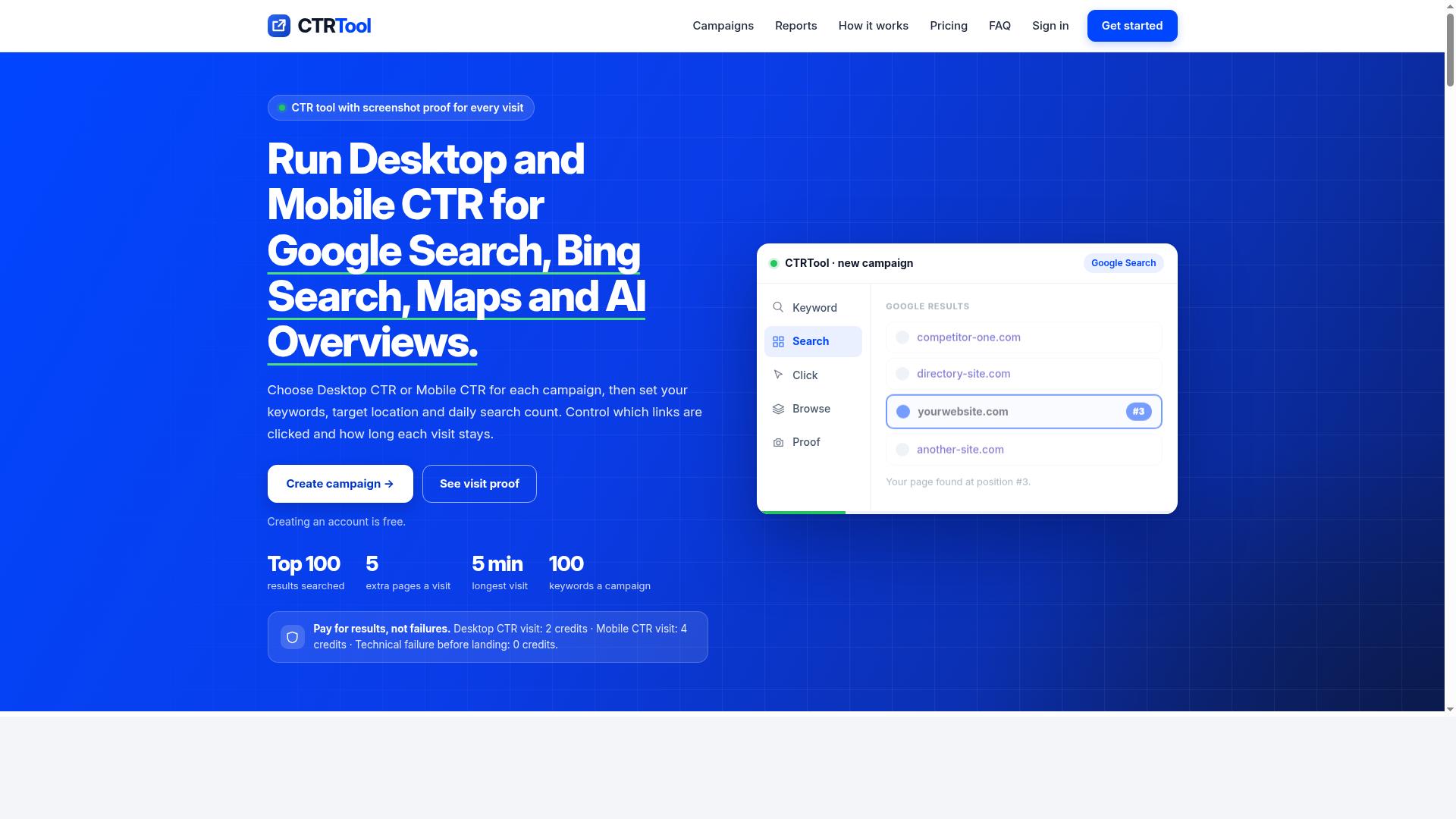
CTRTool is a SaaS platform that runs desktop and mobile click-through-rate campaigns for Google Search, Bing Search, Google Maps, and AI Overviews, providing screenshot proof for every visit.
Its core purpose is simulating organic clicks to influence behavioral signals that can affect keyword rankings. Users define the campaign, and the platform handles the visits across the four supported surfaces.
A distinguishing trait is the emphasis on proof through screenshots, so each visit can be verified rather than taken on trust. The site is also candid that automated visits do not guarantee rankings, which sets realistic expectations for anyone evaluating it as a SERP Empire alternative.
Who CTRTool Serves and Which Platforms It Covers
CTRTool is built for SEO practitioners and agencies managing CTR campaigns for their own or client websites across Google Search, Bing Search, Google Maps, and AI Overviews. The platform's guidance also mentions using tier links, PBNs, and test properties, which points to users who already understand how link and traffic strategies fit together.
Coverage spans four distinct surfaces, each with its own campaign logic:
- Google Search on desktop and mobile
- Bing Search
- Google Maps
- AI Overviews
Users pick Desktop CTR or Mobile CTR per campaign, then set keywords, target location, and daily search count. They also control which links are clicked and how long each visit stays, which matters for dwell time and session duration signals.
Location targeting is flexible. Campaigns can focus on specific countries, states, and cities, or use Any country for a mix of supported locations. That granularity helps agencies run separate campaigns for different client markets without rebuilding the setup each time.
Depth of coverage differs by surface. For search campaigns, the tool checks the top 100 organic results, while Maps campaigns review up to 50 listings. For affiliates and agencies weighing a SERP Empire alternative, this scope determines how precisely a campaign can aim at a target keyword ranking without touching unrelated pages.
What to Look for in a SERP Empire Alternative CTR Manipulation Tool - and How CTRTool Measures Up
When evaluating a SERP Empire alternative, focus on proof of visits, platform coverage, campaign control, and billing transparency-criteria that separate effective CTR tools from risky click bots. These four standards reveal whether a tool simulates natural traffic convincingly or leaves detectable footprints that Google's anti-bot systems can catch.
Screenshot evidence confirms clicks happened, platform coverage ensures your keywords are reachable, campaign controls shape organic-looking click patterns, and fair billing protects your budget when visits fail. The sections below explain each criterion and show where CTRTool stands.
Proof of Every Visit: Screenshot Evidence as a Non-Negotiable Criterion
Without verifiable proof, a CTR campaign is indistinguishable from a black-box click bot that may never deliver real visits. Screenshot evidence confirms that a click actually occurred and that the session followed a natural path from the search engine results page to your landing page.
CTRTool treats proof as standard, not optional. Every visit produces separate search and landing screenshots, so you can see the query, the result clicked, and the page that loaded. Reports also include full visit paths showing how each session moved through your site.
This matters for two reasons. First, it verifies campaign execution: you know credits were spent on real visits rather than silent failures. Second, it helps diagnose problems, such as a keyword that never surfaced or a landing page that failed to load, before you waste more budget.
Tools that offer no evidence leave you guessing. You cannot confirm the click-through rate you paid for, cannot audit dwell time or internal page visits, and cannot show that behavior looked organic. For anyone comparing a SERP Empire alternative, screenshot proof is the clearest dividing line between a measurable CTR booster and an unaccountable click bot.
Platform Coverage: Google Search, Bing, Maps and AI Overviews
A capable CTR tool must cover the search surfaces where your target keywords actually appear, not just one engine. Search visibility today spans traditional results, map packs, and AI-generated summaries, and each surface rewards different signals.
CTRTool runs campaigns across four platforms:
- Google Search: search a keyword and click the organic result, on Desktop or Mobile, within the Top 100 results
- Bing Search: the same keyword-and-click flow for the Bing SERP
- Google Maps: find a business listing and click its website link, with checks across up to 50 listings and city targeting
- AI Overviews: find your website in the overview and click its source link, with citation order tracked
Each platform has specific requirements. Maps campaigns check up to 50 listings to locate the right business, while AI Overview campaigns need a matching AI citation before a click can occur. Delivery runs through Desktop Chrome windows and real Android phone sessions matched to the target location through managed proxy routes.
Coverage across all four surfaces allows a unified strategy for search visibility. Instead of juggling separate tools for each engine and format, you manage one credit balance shared across campaign types, websites, and keywords. Reports then track keyword positions over time, including Maps listing order and AI citation order, so progress on every surface stays visible.
Campaign Control: Device Type, Keywords, Location and Daily Search Count
Granular campaign controls let you mimic organic user behavior by specifying device type, keywords, location, and daily search volume. Loose controls produce uniform, machine-like click patterns that invite footprint detection. Tight controls distribute clicks naturally over time and across devices.
CTRTool exposes the parameters that shape a believable session:
- Device type: choose Desktop CTR or Mobile CTR per campaign
- Keywords: up to 100 keywords per campaign, across up to 100 campaigns
- Location: country, state, and city targeting, or Any country
- Daily search count: set daily goals with now, spread out, or gap timing, plus days, hours, and time zone, with goals resetting at 00:00 UTC
Beyond targeting, you control which links are clicked and how long each visit stays. Visits can last up to five minutes and include up to five additional internal pages, with click order and scrolling time configurable. That combination supports healthier engagement metrics such as session duration and bounce rate, rather than a quick hit-and-leave pattern.
Spreading daily searches across hours and time zones keeps click velocity within natural bounds, a key defense against bot mitigation. Location matching adds another layer: visits that cannot verify the requested location use no credits, so you are not charged for sessions that fail the targeting check. For readers weighing a SERP Empire alternative, this level of control is what separates a disciplined CTR campaign from a blunt click bot.
Fair Billing: The Pay-for-Results Credit Model
A credit-based billing model aligns cost with actual delivered visits, avoiding the waste of flat monthly fees for undelivered clicks. For anyone weighing a SERP Empire alternative, this is a practical point of comparison: you want a CTR manipulation tool whose charges track what it actually delivers.
CTRTool structures its plans around credits that are consumed per visit. Desktop CTR visits cost 2 credits, while Mobile CTR visits cost 4 credits. That difference reflects the heavier resource load of mobile traffic, and it keeps the cost of each campaign type visible before you commit.
The model also accounts for visits that do not complete. A verified search without a match costs 1 credit, and a technical failure before landing costs 0 credits. In other words, you are not billed for clicks that never landed, which supports transparency and cost control across a campaign.
Two entry tiers cover most campaign sizes:
- Starter at $59/month for 2,000 credits, enough for up to 1,000 Desktop CTR visits or 500 Mobile CTR visits
- Growth at $125/month for 5,000 credits, enough for up to 2,500 Desktop or 1,250 Mobile visits, and marked Recommended
Larger operations can scale up with Scale at $399/month for 20,000 credits (up to 10,000 Desktop or 5,000 Mobile visits) and Agency at $699/month for 40,000 credits (up to 20,000 Desktop or 10,000 Mobile visits).
Two billing details matter for planning. Unused credits roll over while your subscription is active, and they expire when a cancellation takes effect. Creating an account is free, so you can evaluate the platform before paying. The site also notes that prices rise 30% on November 15, which makes early adoption worth considering.
Compared with open-ended flat fees, this pay-for-results structure gives you a clear credit-to-visit ratio to budget against. For a CTR booster used to support organic ranking and search visibility, that predictability is a meaningful advantage.
Key Features and What Makes CTRTool Stand Out
Beyond basic click simulation, CTRTool offers features that provide visibility into campaign performance and keyword movement. Many CTR manipulation tools stop at sending clicks. CTRTool pairs each visit with evidence and long-term tracking data.
The platform supports campaigns across Google Search, Bing Search, Maps and AI Overviews, with proof for every visit. Three capabilities carry most of the value:
- Screenshot proof for each visit, with search and landing screenshots saved as separate proof images
- Full visit paths that record where each session went after the search query
- Keyword positions tracked over time, including Maps listing order and AI citation order
Together, these features answer the question most CTR campaigns leave open: did the clicks actually move anything? The next section looks at how the visit path and position data work in practice.
Full Visit Paths and Keyword Position Tracking Over Time
Understanding how clicks translate into ranking improvements requires tracking both the path of each visit and the keyword's position over time. CTRTool records the full visit path, from the search query to the landing page and on to internal pages. Visits can run up to 5 minutes with up to 5 additional internal pages.
That path matters because engagement metrics such as dwell time and session duration are behavioral signals a search engine can observe. A session that lands and leaves in seconds looks different from one that reads, scrolls and opens another page. CTRTool lets a campaign replicate the second pattern rather than a single click.
Position tracking runs alongside the clicks. CTRTool follows a keyword's position over time, including Maps listing order and AI citation order, so movement in each surface is visible rather than assumed. For local campaigns, Maps order can shift independently of the classic blue-link results. AI citation order is a newer surface that many CTR tools do not report at all.
With path data and position history side by side, users can correlate click campaigns with ranking changes instead of guessing. If positions hold steady after a round of visits, the dwell time or bounce rate strategy may need adjusting. If a keyword climbs, the targeting mix that produced it can be repeated. This feedback loop is what turns a CTR booster from a blind volume play into a measurable campaign.
Proof supports the same goal. Because every visit carries search and landing screenshots, users can check that sessions matched the requested keyword, device and location before drawing conclusions from the ranking data.
Pricing and Plans
CTRTool offers four monthly plans billed in USD, with credits that can be used for either Desktop or Mobile CTR visits. This structure makes it easy to compare an alternative CTR manipulation tool against a fixed, published price instead of a quote-based arrangement.
The Starter plan costs $59 per month and includes 2,000 credits. That allowance covers up to 1,000 Desktop CTR visits or 500 Mobile CTR visits, so a smaller campaign or a single keyword set stays affordable.
The Growth plan costs $125 per month and includes 5,000 credits. This tier supports up to 2,500 Desktop or 1,250 Mobile visits and is marked Recommended, which signals it as the middle ground for ongoing campaigns.
Larger operations are covered by two further tiers. Scale runs $399 per month for 20,000 credits (up to 10,000 Desktop or 5,000 Mobile visits), and Agency runs $699 per month for 40,000 credits (up to 20,000 Desktop or 10,000 Mobile visits).
| Plan | Monthly Price | Credits | Desktop Visits | Mobile Visits |
|---|---|---|---|---|
| Starter | $59 | 2,000 | Up to 1,000 | Up to 500 |
| Growth (Recommended) | $125 | 5,000 | Up to 2,500 | Up to 1,250 |
| Scale | $399 | 20,000 | Up to 10,000 | Up to 5,000 |
| Agency | $699 | 40,000 | Up to 20,000 | Up to 10,000 |
Credits are consumed per visit, and the cost depends on device type. A Desktop CTR visit uses 2 credits, while a Mobile CTR visit uses 4 credits, which explains the 2:1 ratio between Desktop and Mobile visit counts on every plan.
Not every credit charge reflects a completed visit. A verified search without a match costs 1 credit, and a technical failure before landing costs 0 credits, so failed attempts do not eat into your budget at full rate.
Users choose Desktop or Mobile per campaign, so one credit pool can serve mixed strategies without buying separate subscriptions. Unused credits roll over while the subscription is active and expire when cancellation takes effect.
All plans are monthly, and no long-term contract is stated. Creating an account is free, and custom development carries a separate, agreed one-time fee. The site also displays limited launch pricing with the notice that prices rise 30% on November 15.
Who Should Use CTRTool
CTRTool is designed for SEO practitioners, agencies, and affiliates who need to influence behavioral signals for competitive keywords. It is a CTR manipulation tool built around campaign management for search visibility, not a casual add-on for hobbyist site owners.
The ideal user understands that click-through rate and engagement metrics sit alongside content and links in the broader ranking picture. They want a structured way to run and measure those campaigns rather than guessing at outcomes.
SEO professionals managing client campaigns are a natural fit. When several properties sit under one roof, the ability to track each campaign separately and keep evidence of activity matters for reporting. Screenshot proof and detailed tracking support that need, since a client relationship often depends on showing what was actually done.
Agencies offering CTR services face a different pressure. They need repeatable processes and a way to demonstrate delivery across accounts. CTRTool's campaign management approach suits that operational rhythm, where consistency and documentation carry more weight than one-off experiments.
Affiliates running tiered link campaigns also belong in this group. The site's own guidance references using tier links and PBNs (private blog networks), which points to users working with layered structures rather than single pages. Test properties are mentioned too, which fits practitioners who validate an approach before applying it to money sites.
Platform coverage is another reason the tool attracts a specific crowd. CTRTool supports campaigns across Google Search, Bing Search, Google Maps, and AI Overviews. That breadth suits practitioners who no longer treat a single SERP as the whole picture. Search visibility now spans classic organic results, local packs, and AI-generated summaries, and a tool that addresses those surfaces together saves juggling separate workflows.
Users who value screenshot proof and detailed tracking will get the most from it. Those features appeal to anyone who has to justify spend or show progress over time, whether to a client, a business partner, or themselves.
The common thread across these profiles is a need for control over click patterns, dwell time, and session behavior without losing sight of the data. CTRTool fits practitioners who treat behavioral signals as one input among many and who want the campaign layer handled in one place. If that describes how you work, the tool aligns with your process. For anyone weighing a SERP Empire alternative, CTRTool stands out as a purpose-built option for serious, documented CTR campaigns across the major search surfaces.
Final Verdict
As a SERP Empire alternative, CTRTool delivers verifiable visits, broad platform coverage, and granular campaign controls at transparent price points. For SEO professionals who want a CTR manipulation tool they can actually hold accountable, that combination is hard to argue with.
Accountability starts with proof. Every visit in a CTRTool campaign comes with a screenshot, so you are not asked to take delivery on faith. That single design choice separates it from tools where you simply set a campaign and hope the clicks landed where you intended.
Coverage spans four platforms. That breadth matters because search visibility is no longer a Google-only concern. A tool that works across multiple platforms lets you run one coherent strategy instead of stitching together separate vendors for each surface.
Campaign controls are equally practical. Device and location targeting let you direct clicks to the audiences and regions that match your keyword ranking goals, rather than spraying traffic indiscriminately. This kind of targeting is central to natural traffic simulation, since mismatched devices or locations are exactly the sort of footprint that raises flags.
Billing keeps the math simple. A credit-based model means you pay for what you use, which suits both small tests and larger ongoing campaigns. You can scale spend up or down without renegotiating a plan.
CTRTool is a global online service, available wherever you work. Support runs through email, which keeps a written record of every exchange, useful when you need clarity on campaign settings or credits. For direct inquiries, you can reach the team at vaibhav@autoblogging.ai.
Weigh it against the checklist any serious buyer should apply:
- Screenshot proof for every visit
- Support for four platforms
- Device and location targeting
- Credit-based billing
- Email-based support with a direct contact address
No tool replaces sound keyword research, competitor analysis, or rank tracking. But as the delivery layer for behavioral signals, CTRTool is a strong option for SEO professionals seeking an accountable CTR manipulation tool. The proof is built in, the controls are there, and the pricing is clear before you commit.
Frequently Asked Questions
What makes CTRTool different from other CTR manipulation tools?
CTRTool is built around proof: every campaign visit includes screenshot proof, with search and landing screenshots provided as separate proof images, plus full visit paths. It also tracks keyword positions over time, including Maps listing order and AI citation order, so you can see the effect of your campaigns rather than just the clicks. Campaigns run on Google Search, Bing Search, Maps and AI Overviews, with Desktop or Mobile CTR chosen per campaign.
Which platforms and campaign types does CTRTool support?
CTRTool runs Desktop and Mobile CTR campaigns for Google Search, Bing Search, Maps and AI Overviews. For search campaigns you set the keyword and click the organic result, and Maps campaigns find the business listing and click through to its website. AI Overview campaigns require a matching source link, so make sure your page qualifies before launching.
How does CTRTool's credit-based pricing work?
CTRTool uses monthly plans priced in USD with a pay-for-results credit model. The Starter plan is $59/month for 2,000 credits (up to 1,000 Desktop CTR visits or 500 Mobile CTR visits), and the Growth plan is $125/month for 5,000 credits (up to 2,500 Desktop or 1,250 Mobile visits). Check the site for the full plan lineup and current details before choosing.
Can I target specific locations and devices with my campaigns?
Yes. You can target a chosen country and optionally a state and city, or select "Any country" to use a mix of supported locations. Device type is set per campaign, so you can run Desktop CTR or Mobile CTR depending on your goals. CTRTool is a global online service with no stated country restrictions.
What are the eligibility requirements for running a campaign?
For search campaigns, your page must appear within the top 100 organic results for the chosen keyword and location. Maps campaigns check up to 50 listings (about five pages), and AI Overview campaigns need a matching source link. Meeting these requirements before launch helps ensure your campaign can actually find and click your result.
How do I get help if I have questions about the tool?
You can reach CTRTool support at vaibhav@autoblogging.ai, the support email listed in the site FAQ. The site also includes Support, Terms of use and Legal notices pages, and you can create an account or sign in at ctrtool.com to get started.